Microsoft Teams

- Lifetime Access
- All Levels
- PDF Certificate
Have Faith In
Learning With Us




Overview
🚀 Unlock the Power of Collaboration with Microsoft Teams Course! 🚀
Are you ready to revolutionize the way your team works together? Look no further than our comprehensive Microsoft Teams course! 🌟
In today’s fast-paced digital landscape, effective collaboration is the cornerstone of success for any organization. Whether you’re a seasoned professional or a newcomer to the workforce, mastering Microsoft Teams is essential for staying ahead of the curve. 💼
🔥 Benefits of Taking Our Microsoft Teams Course:
- Boost Productivity: Discover how to streamline communication and project management with Microsoft Teams’ suite of features. Say goodbye to endless email chains and hello to real-time collaboration!
- Enhanced Efficiency: Learn how to leverage Teams’ integrations with other Microsoft Office applications to centralize your workflow. From document sharing to video conferencing, everything you need is at your fingertips.
- Remote Work Readiness: In today’s remote-friendly environment, the ability to collaborate effectively from anywhere is invaluable. Our course equips you with the skills to thrive in the era of remote work.
- Improved Communication: Break down silos and foster a culture of transparency within your team. From chat channels to threaded conversations, Microsoft Teams keeps everyone in the loop.
- Customizable Solutions: Tailor Microsoft Teams to suit your team’s unique needs with custom channels, tabs, and apps. Our course teaches you how to make Teams work for you!
- Stay Organized: Say goodbye to scattered files and disjointed communications. Learn how to organize projects and files seamlessly within the Teams environment.
- Professional Development: Investing in your skills is the key to advancing your career. By mastering Microsoft Teams, you’ll position yourself as a valuable asset to any organization.
💼 Who is this for?
- Business Professionals: Whether you’re a manager leading a team or an individual contributor, Microsoft Teams can revolutionize the way you work.
- Entrepreneurs: Build a strong foundation for collaboration within your startup or small business with Microsoft Teams.
- Students and Educators: Enhance group projects and classroom collaboration with the powerful tools offered by Microsoft Teams.
- Remote Workers: Stay connected and productive from anywhere with the remote-friendly features of Microsoft Teams.
🛠️ Career Path:
- Project Managers: Mastering Microsoft Teams can elevate your project management skills and make you indispensable in the eyes of employers.
- Administrative Professionals: Become the go-to expert for streamlining communication and organization within your office environment.
- IT Professionals: Gain valuable skills in implementing and managing Microsoft Teams for organizations of all sizes.
- Sales and Marketing Professionals: Collaborate seamlessly with your team to drive results and exceed targets.
- Human Resources: Utilize Microsoft Teams to facilitate employee communication, training, and development initiatives.
Don’t miss out on the opportunity to take your collaboration skills to the next level. Enroll in our Microsoft Teams course today and unleash your team’s full potential! 💻🌐
FAQ (Frequently Asked Questions) for Microsoft Teams
Q1: What is Microsoft Teams?
Microsoft Teams is a collaboration platform that brings together chat, video meetings, file storage, and integration with other Microsoft 365 applications into one unified interface. It allows teams to communicate and collaborate in real-time, whether they’re in the same office or spread across different locations.
Q2: How can I access Microsoft Teams?
Microsoft Teams can be accessed through various platforms, including desktop applications for Windows and Mac, web browsers, and mobile apps for iOS and Android devices. Users can sign in using their Microsoft 365 account credentials provided by their organization or create a new account if needed.
Q3: What features does Microsoft Teams offer for communication and collaboration?
Microsoft Teams offers a wide range of features to facilitate communication and collaboration within teams. These include instant messaging, audio and video conferencing, screen sharing, file sharing and co-authoring, integration with Microsoft Office apps, channels for organizing conversations and files by topic, and the ability to add external guests to meetings and channels.
Q4: How can I organize and manage teams and channels in Microsoft Teams?
In Microsoft Teams, users can create teams to bring together people with a common goal or project. Within each team, users can create channels to organize conversations and files by topic, department, or project. Team owners have the ability to add or remove members, manage permissions, and customize settings for each team and channel.
Q5: Is Microsoft Teams secure for business use?
Microsoft Teams prioritizes security and compliance to protect sensitive information and ensure data privacy. It offers features such as multi-factor authentication, encryption of data in transit and at rest, compliance with industry standards and regulations, and administrative controls for managing user access and permissions. Additionally, Microsoft regularly updates Teams with security enhancements and patches to address any potential vulnerabilities.
Course Content
Module 1 Introduction to Microsoft Teams
-
Introduction to Microsoft Teams
00:00
Module 2 Communication and Collaboration
Module 3 Managing Meetings
Words That Inspire us to Growth
Frequently Asked Questions
Similar Courses


Get Your Certificate Today
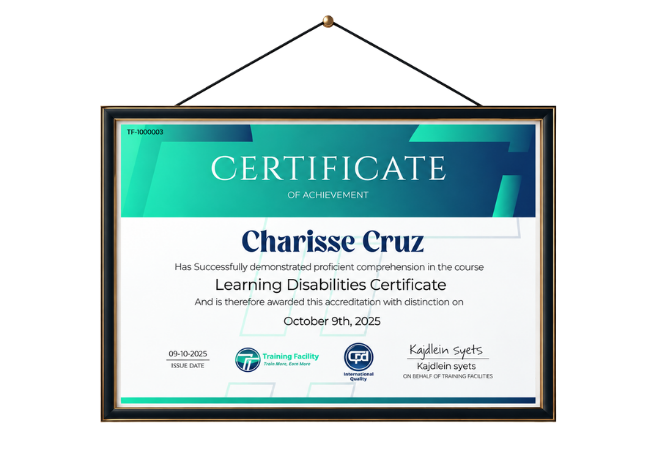
Upon successfully completing this course, you will immediately receive a digital certificate. Additionally, a physical certificate can be purchased. All of our courses are fully accredited, equipping you with up-to-date skills and knowledge to enhance your competence and effectiveness in your field. While our certifications have no expiry dates, we recommend checking the course materials often as we continuously update them to be more relevant.
Order Now