AutoCad Online Training

- Lifetime Access
- All Levels
- PDF Certificate
Have Faith In
Learning With Us





Overview
Welcome to Training Facility!
Looking to elevate your skills in AutoCAD? Look no further than our comprehensive AutoCAD Online Training course. Whether you’re a beginner seeking to grasp the fundamentals or a seasoned professional aiming to refine your expertise, our course is designed to cater to all skill levels. At Training Facility, we understand the importance of quality education that’s accessible anytime, anywhere. That’s why we’ve crafted an immersive online learning experience tailored to meet your needs.
Essentials of Course
Our AutoCAD Online Training course is structured to provide you with a solid foundation in using AutoCAD, the industry-standard software for computer-aided design (CAD). Through a series of engaging modules, you’ll delve into essential concepts, techniques, and best practices for creating precise technical drawings and designs.
Why Course Matters
In today’s competitive landscape, proficiency in AutoCAD is a valuable asset across various industries, including architecture, engineering, construction, and manufacturing. Whether you’re pursuing career advancement or seeking to enhance your skill set, mastering AutoCAD can open doors to new opportunities and empower you to tackle complex design projects with confidence and efficiency.
What You’ll Learn
Our AutoCAD Online Training course covers a comprehensive range of topics, including:
- Understanding the AutoCAD interface and workspace
- Creating and editing geometric shapes and objects
- Utilizing drawing tools and commands for precision drafting
- Mastering layers, colors, and linetypes for effective visualization
- Applying annotations, dimensions, and text to convey design information
- Working with blocks, symbols, and attributes to streamline workflows
- Exploring advanced techniques for 3D modeling and visualization
- Customizing AutoCAD settings and preferences to suit your workflow
Who Should Take This Course
This course is ideal for:
- Students and professionals seeking to learn AutoCAD from scratch
- Architects, engineers, drafters, and designers looking to enhance their CAD skills
- Construction professionals involved in project planning and documentation
- Product designers and manufacturers interested in creating detailed technical drawings
- Anyone interested in pursuing a career in CAD drafting and design
Benefits of Taking This Course
By enrolling in our AutoCAD Online Training course, you’ll:
- Gain a comprehensive understanding of AutoCAD fundamentals and advanced techniques
- Develop practical skills through hands-on exercises and real-world projects
- Access high-quality video tutorials, downloadable resources, and interactive quizzes
- Learn at your own pace, with 24/7 access to course materials from any device
- Receive expert guidance and support from our team of experienced instructors
- Earn a certificate of completion to showcase your proficiency in AutoCAD
Enroll Today
Don’t miss out on the opportunity to elevate your skills and advance your career with our AutoCAD Online Training course. Whether you’re a beginner or an experienced professional, there’s always room to grow and excel in the world of CAD design. Enroll today and take the first step towards mastering AutoCAD with Training Facility. Unlock your potential and unleash your creativity in the exciting realm of computer-aided design. Let’s embark on this journey together!
Course Content
Module 1- Introduction to AutoCAD
-
Introduction to AutoCAD
00:00
Module 2- User Interface of AutoCAD
Module 3- Setting Up Coordinates and Drawing
Module 4- Drawing Lines and Curves
Module 5- Drawing Views
Module 6- Modifying of Drawings
Module 7- Drawing Layers
Module 8- Drawing Dimensions
Module 9- Drawing Complex Objects
Module 10- Plotting and Drawing
Words That Inspire us to Growth
Frequently Asked Questions
Similar Courses




Get Your Certificate Today
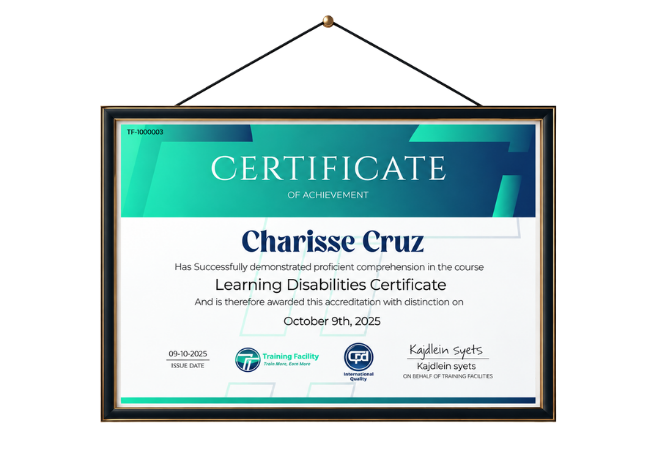
Upon successfully completing this course, you will immediately receive a digital certificate. Additionally, a physical certificate can be purchased. All of our courses are fully accredited, equipping you with up-to-date skills and knowledge to enhance your competence and effectiveness in your field. While our certifications have no expiry dates, we recommend checking the course materials often as we continuously update them to be more relevant.
Order Now