Microsoft Excel 2016 (Basic to Advanced)

- Lifetime Access
- All Levels
- PDF Certificate
Have Faith In
Learning With Us





Overview
🚀 Unleash Your Excel Mastery with “Microsoft Excel 2016 (Basic to Advanced)” Course! 🚀
Are you tired of spending hours grappling with Excel, only to end up with frustrating and inefficient solutions? Do you dream of becoming the Excel wizard in your workplace, effortlessly creating powerful and efficient solutions?
Look no further! Introducing our groundbreaking online course: “Microsoft Excel 2016 (Basic to Advanced).”
🌟 Why Choose “Microsoft Excel 2016 (Basic to Advanced)”?
✅ Master Advanced Excel Techniques: Dive deep into the world of Excel with our comprehensive modules that cover everything from advanced formulas and functions to data visualization and analysis.
✅ Practical Real-World Applications: Say goodbye to theoretical lessons! We focus on real-world scenarios, ensuring you can immediately apply your newfound skills to solve complex problems in your professional life.
✅ Build Efficiency: Learn the secrets of crafting efficient and streamlined Excel solutions. From automating repetitive tasks to optimizing complex workflows, you’ll become a productivity powerhouse.
✅ Expert-Led Instruction: Our experienced instructors are Excel aficionados with a passion for teaching. Benefit from their wealth of knowledge and insider tips, ensuring you stay ahead of the curve.
✅ Interactive Learning: Engage with hands-on exercises, quizzes, and projects that reinforce your understanding and transform you into a confident Excel pro.
✅ Lifetime Access: Gain unlimited access to the course content, updates, and a supportive community. Your learning journey doesn’t end – it evolves.
🎓 What You’ll Learn:
- Advanced Formulas and Functions: Supercharge your spreadsheet skills with complex formulas and functions, unlocking Excel’s true potential.
- Data Visualization Mastery: Transform raw data into visually stunning charts and graphs, making your reports and presentations more impactful.
- Automation Techniques: Streamline your work by mastering Excel’s automation features, saving time and reducing errors.
- Data Analysis Strategies: Unlock the power of PivotTables, data models, and analysis tools to gain valuable insights from your data.
- Optimizing Workflows: Learn to design efficient workflows and templates that enhance collaboration and productivity.
🌐 Who Is This Course For?
- Professionals aiming to boost their Excel proficiency.
- Entrepreneurs seeking to optimize business processes.
- Students preparing for a data-driven career.
- Anyone who wants to stay ahead in today’s competitive workplace.
Don’t miss out on this opportunity to elevate your Excel skills and stand out in the crowd. Join “Microsoft Excel 2016 (Basic to Advanced)” today and pave the way for a successful and efficient future!
Course Content
Microsoft Excel 2016 Basic
-
Pre Sell Video
00:00 -
Lesson 1 – Overview
00:00 -
Lesson 2 – Interface
00:00 -
Lesson 3 – File Menu – Part 1
00:00 -
Lesson 4 – File Menu – Part 2
00:00 -
Lesson 5 – Home Menu
00:00 -
Lesson 6 – Insert Menu
00:00 -
Lesson 7 – Page Layout Menu
00:00 -
Lesson 8 – Formulas Menu
00:00 -
Lesson 9 – Data Menu – Part 1
00:00 -
Lesson 10 – Data Menu – Part 2
00:00 -
Lesson 11 – Review Menu
00:00 -
Lesson 12 – View Menu
00:00 -
Lesson 13 – Templates
00:00 -
Lesson 14 – Dates
00:00 -
Lesson 15 – Numbers
00:00 -
Lesson 16 – Text
00:00 -
Lesson 17 – B – Calculations-Manual
00:00 -
Lesson 18 – Calculations
00:00 -
Lesson 19 – Page Set Up
00:00 -
Lesson 20 – Print Settings
00:00 -
Lesson 21 – Conclusion
00:00
Microsoft Excel 2016 Advanced
Words That Inspire us to Growth
Frequently Asked Questions
Similar Courses



Get Your Certificate Today
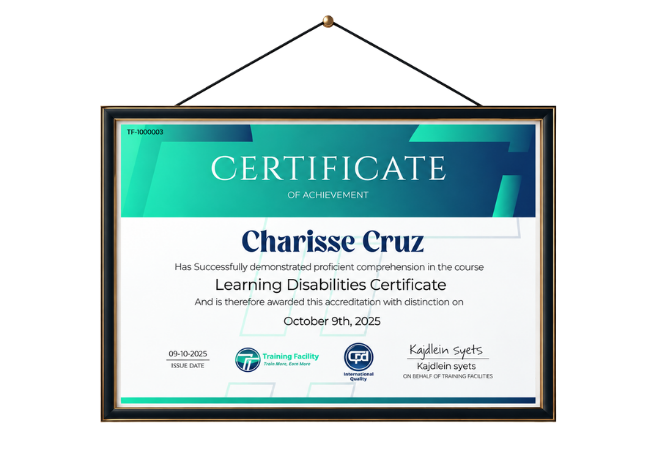
Upon successfully completing this course, you will immediately receive a digital certificate. Additionally, a physical certificate can be purchased. All of our courses are fully accredited, equipping you with up-to-date skills and knowledge to enhance your competence and effectiveness in your field. While our certifications have no expiry dates, we recommend checking the course materials often as we continuously update them to be more relevant.
Order Now